A website for a theater needs to display the schedule, allow ticket purchases, and convey the venue’s artistic identity. With the right tools, you can have a professional site up and running in just a few hours, without any technical knowledge.
Why a Theater Needs Its Own Website
Social media is useful for sharing content and maintaining an active community, but it doesn’t replace having your own website. An Instagram or Facebook profile doesn’t allow you to display the full season’s lineup, sell tickets directly, or appear in search results when someone types “theater + city name.”
Having your own website gives the theater a digital presence that the team controls 100%. It doesn’t depend on any platform’s algorithms, it doesn’t disappear if a social media platform changes its policies, and it can be updated at any time without format restrictions.
For independent theaters, community theater companies, or cultural spaces with limited resources, this is especially important. In many cases, the website is the only channel where the public can find complete information, buy a ticket, and learn about the venue’s history.
According to data on user behavior in Latin America, more than 60% of searches for cultural events are conducted on mobile devices, making it essential for the site to be optimized for these formats from day one.
What sections should a theater’s website have
Before choosing tools or signing up for hosting, it’s a good idea to define what content the site will include. A well-structured theater website generally includes these sections:
Schedule or programming
This is the most visited section and must always be up to date. Each play or event needs its own page with:
- Title and brief synopsis
- Dates and times
- Ticket prices
- Photos or promotional poster
- Purchase or reservation button
About the theater
A page explaining the venue’s history, its artistic mission, and the team behind it. This builds trust, especially for independent theaters with their own cultural identity.
Cast and artists
If the theater works with resident or affiliated companies, having a section dedicated to the artists adds value and allows the audience to connect with the people behind the productions.
Photo and Video Gallery
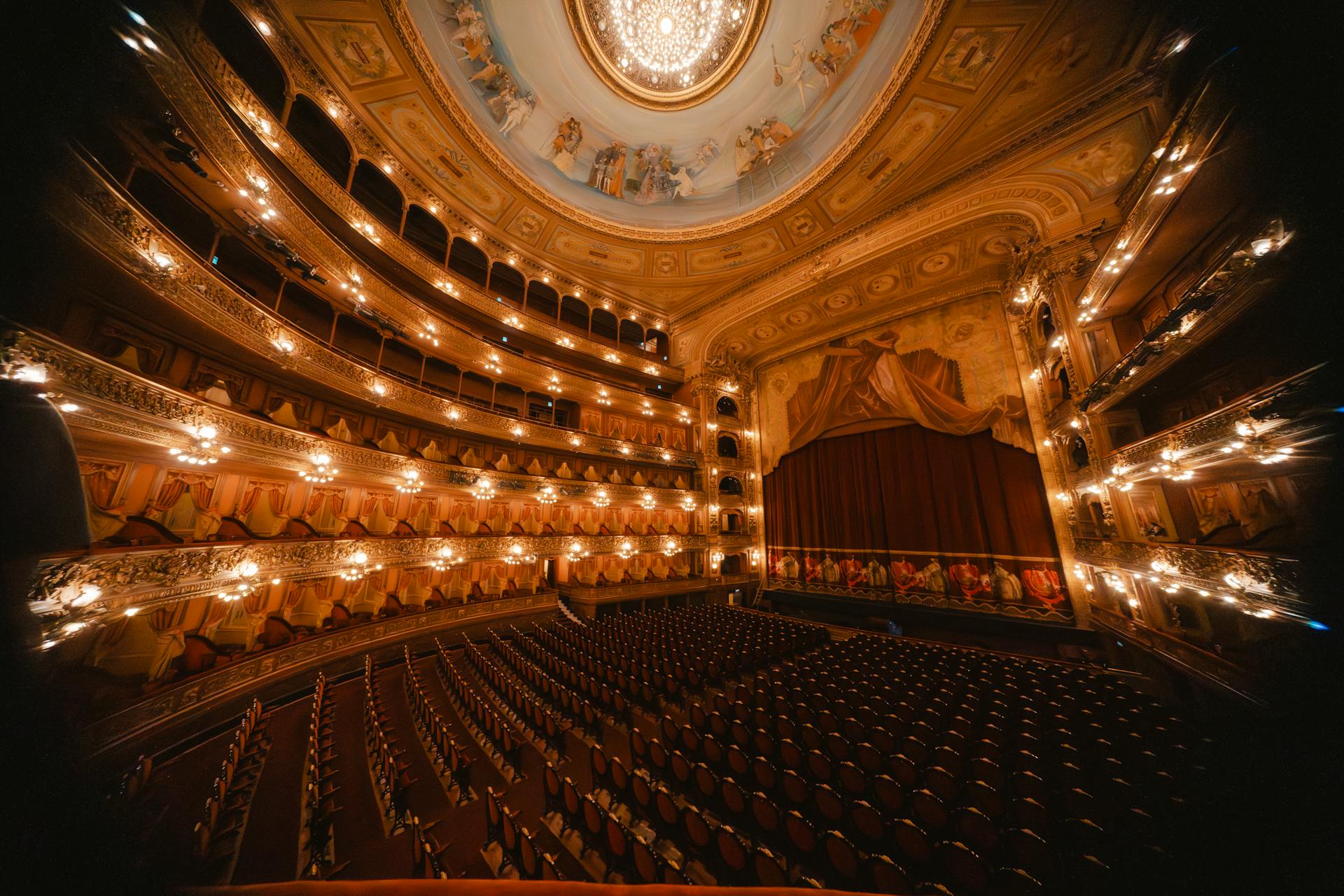
An image of the lit stage, a performance in progress, or a full house communicates more than any text. It is recommended to include at least one gallery per production and an institutional video of the venue.
Contact and Location
Address, phone number, email, embedded map, and, if the theater offers venue rentals, a specific form for those inquiries.
Blog or News (optional but recommended)
A blog featuring interviews with actors, notes on the creative process for each production, or coverage of past seasons can significantly improve search engine rankings.
How to Create a Theater Website Step by Step
Step 1: Choose the Domain
The domain is the site’s address (for example, teatrolapuerta.com). Ideally, use the theater’s name, without abbreviations or characters that are difficult to type. If the .com is taken, a good alternative is .org, widely used by nonprofit cultural venues.
Once you’ve chosen the name, register it as soon as possible to prevent someone else from taking it.
Step 2: Sign up for web hosting
To host the site, you need a web hosting service that keeps the site available 24 hours a day. Most theaters don’t need complex solutions: shared hosting is sufficient to manage a website with a schedule, gallery, and contact forms. When choosing a provider, make sure they offer accessible technical support, high server availability, and an easy way to install WordPress or the CMS you plan to use.
Step 3: Install WordPress
WordPress is the most widely used platform in the world for sites of this type. It’s free, has thousands of visual templates, and allows you to manage the schedule, blog, and forms without touching any code.
To install it, most hosting control panels include an automatic installer. In just a few clicks, the site is ready to be designed.
Step 4: Choose a Visual Template
There are templates designed specifically for cultural events, theaters, and arts venues. Searching the WordPress repository for terms like “theater,” “events,” or “performing arts” yields good results. The key is to choose one that is responsive (mobile-friendly) and allows you to clearly highlight images and dates.
Step 5: Create the site sections
With the template installed, the next step is to create the pages described in the previous section: schedule, about the theater, gallery, contact. Many WordPress themes include pre-designed templates for each type of page.
Step 6: Set up the SSL certificate
SSL ensures that the connection to the site is secure (the famous green padlock in the browser). It is essential, especially if the site will process payments or reservations. Most hosting providers include it at no additional cost.
Step 7: Publish and verify on Google
Once published, it’s a good idea to verify the site in Google Search Console so the search engine can index the content. It’s also recommended to complete the profile on Google Business Profile, especially if the theater has a physical address. That way, when someone searches for the theater’s name on Google Maps, the updated information appears directly.
Online Ticket Sales: Options and Recommendations
Offering the option to buy tickets directly from the website can significantly boost sales, especially during times when audiences prefer to avoid traveling to the venue before the show.
There are two main approaches:
Integrate an external platform
There are platforms specialized in ticket sales for cultural events, such as Passline, Eventbrite, or Welcu. Most allow you to embed a purchase widget directly on the theater’s website. The user buys from the theater’s website, but the transaction is processed by the external platform.
Advantages: quick to implement, no complex technical setup required.
Disadvantages: commission per ticket sold, reliance on a third party.
In-House Sales with WooCommerce
For theaters with a higher volume of performances or those that want to avoid commissions, WooCommerce (the WordPress e-commerce plugin) allows you to manage ticket sales directly from the site. Each performance can be configured as a product, with date, time, and number of available seats.
This option requires a bit more initial setup, but it gives you full control over the purchasing process and customer data.
If at any point the theater’s website grows and needs more resources, the natural next step is to migrate to optimized WordPress hosting, which ensures better performance during traffic spikes at the start of a season.
Common mistakes when creating a website for a theater
Failing to update the program. This is the most common mistake. A website listing shows that are no longer running creates confusion and gives the impression of neglect. It’s a good idea to assign someone to keep the information up to date.
Using low-quality photos. In the arts, image is everything. Pixelated or poorly lit photos directly affect how the theater is perceived. It’s worth investing in a professional photo shoot each season.
Not having a mobile version. Most of the audience checks the schedule on their phone. If the site isn’t optimized for small screens, you’ll lose visits and sales.
Omitting ticket prices. Many theaters don’t publish prices, assuming that people will contact them directly. In practice, the absence of prices causes users to leave the page and look for another option.
Not including a contact form. A plain-text email address is not enough. Spam bots harvest it, and many users prefer to fill out a simple form rather than open their email client.
Not having SSL enabled. A site without an SSL certificate appears as “not secure” in modern browsers, which drives visitors away before they even read the content.
Little-known tips to stand out
Use Schema markup for events. There is a specific type of structured markup for events (Event schema) that allows Google to display dates, times, and prices directly in search results, without the user having to visit the site. Implementing it can significantly increase the organic visibility of the event calendar.
Create a page for each production. Instead of listing all productions on a single page, creating a separate URL for each one allows each production to appear individually in search engines. Someone searching for a production’s name on Google can go directly to that page.
Publish audience reviews. Incorporating comments or ratings from past attendees serves as social proof and improves the conversion rate for ticket sales.
Include an archive of past seasons. A section featuring past productions, photos, and press coverage not only enriches the site culturally but also generates valuable content for long-term SEO.
Offer a newsletter subscription. A subscription form for updates helps build a database of interested audience members. A well-designed email sent before a production’s premiere can fill the first few performances without relying on paid advertising.
Frequently Asked Questions
Do I need to know how to code to create a theater website?
No. With WordPress and a visual builder like Elementor or Divi, you can build a professional site without writing a single line of code. Most actions are done by dragging and dropping blocks and editing text directly on the screen.
How much does it cost to create a theater website?
The basic cost includes domain registration (between $10 and $20 per year depending on the extension) and a web hosting plan (starting at a few dollars a month). If you opt for a premium template or specialized plugins for ticket sales, the cost may go up, but it’s still affordable compared to hiring an external developer.
Which platform is best for managing the schedule?
WordPress is the most versatile option. It allows you to easily create an event schedule with dates, times, and images. There are specific plugins like The Events Calendar that make this even easier.
Is it possible to sell tickets directly from the site?
Yes. Using WooCommerce or integrated platforms like Eventbrite or Passline, the theater can offer ticket sales without redirecting users to external sites. The best option depends on the number of performances and the budget available for commissions.
How do I appear on Google when someone searches for “theater in my city”?
Organic search ranking requires regularly publishing relevant content, using the city name in page titles and descriptions, and registering the theater on Google Business Profile. In the medium term, a blog featuring posts about the plays and the cultural space accelerates this process.
What happens if the site receives a lot of traffic during a season launch?
Standard shared hosting can handle a theater’s normal traffic well. If significant traffic spikes are expected (for example, a highly anticipated play or a media campaign), it’s advisable to sign up for a plan with more resources or enable a caching system so the server doesn’t become overloaded.
Should the site have a privacy policy?
Yes, especially if data is collected via forms or payments are processed. In many countries, this is a legal requirement. WordPress includes legal page generators that make it easy to create one.
Conclusion
Creating a website for a theater doesn’t require a large budget or advanced technical knowledge. With a clear structure, up-to-date content, and the right tools, any theater can have a professional digital presence that attracts audiences and facilitates ticket sales.
The first concrete step is to have your own domain and reliable hosting. Neolo has been supporting SMEs, entrepreneurs, and cultural projects throughout Latin America for over 20 years, with high-availability servers and support that responds to 80% of inquiries in less than an hour. If you’re ready to launch your theater’s website, you can start by exploring Neolo’s web hosting plans — with a 30-day money-back guarantee if the service doesn’t meet your expectations.