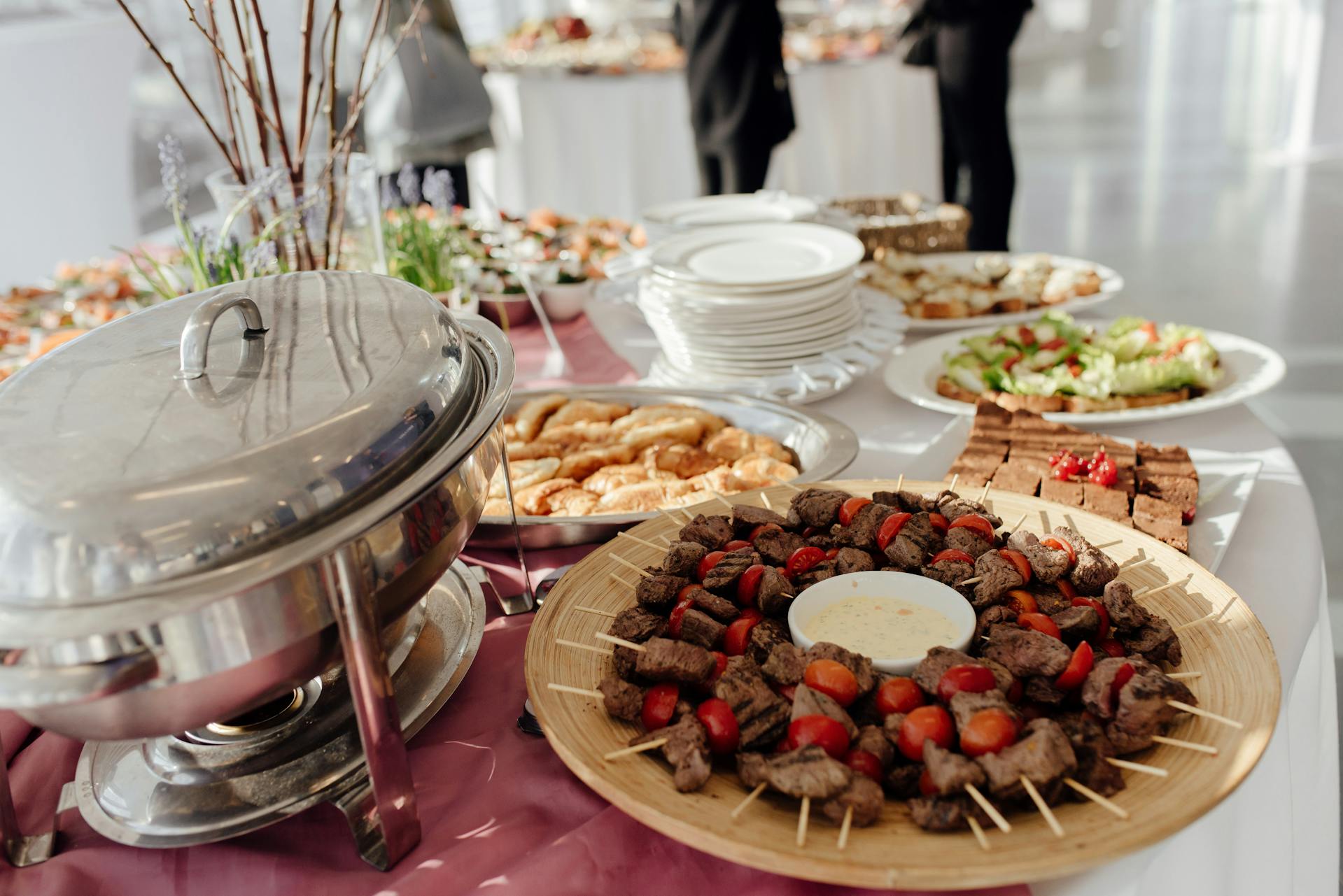
A professional website is one of the most effective tools for a catering business, because it allows you to showcase your menu, receive inquiries, and appear in Google search results when someone looks for a service like yours.
This guide explains what sections your site should include, which platform to use based on your technical expertise, and how to avoid the most common mistakes when launching your site for the first time.
Why a catering business needs its own website
Many entrepreneurs in the food industry rely solely on Instagram or WhatsApp to attract customers. It works at first, but it has a clear limitation: social media doesn’t let you appear on Google when someone types “wedding catering in [city]” or “corporate catering service.”
A dedicated website changes that equation. It allows you to capture existing demand—people who are actively searching for the service—without relying on ever-changing algorithms or the organic reach of a post.
Furthermore, a professional website conveys credibility in a way that social media cannot match. When an event planner or a company evaluates vendors, the first step is usually to visit the candidate’s website. If there isn’t one, or if the site looks neglected, the decision is often already made.
The process of creating a website for an SME follows a similar logic across any industry: define the objective, choose the right platform, and ensure the content answers the questions potential clients already have before reaching out.
What sections should a catering website include?
A catering website doesn’t need to be extensive, but it does need to be comprehensive. Visitors should effortlessly find the answers to the three questions any potential client has upon arrival:
- What types of events do you cater?
- What is included in the service?
- How can I make an inquiry or request a quote?
Essential Sections
1. Home (Hero)
The first screen should communicate in a single line what the business does and for whom. For example: “Catering for corporate events and private celebrations in [city].” A high-quality image—a set table, a beautifully presented dish, a real event—does the rest.
2. Services
This section details the types of events catered to: weddings, birthdays, corporate meetings, product launches, office catering, etc. The goal is not to list everything you can do, but to clearly highlight your main offerings.
3. Menus or Proposals
If the business offers set packages or menus, displaying them on the website reduces inquiry time and better filters potential clients. If menus are customizable, it’s still helpful to show examples or the types of cuisine available.
4. Gallery
Photos are the most powerful tool in the food industry. A gallery with real images from past events—well-lit, without excessive filters—builds trust in a way that no text can replace.
5. Testimonials or Reviews
Feedback from past customers is crucial. If the business has reviews on Google Maps or another platform, it’s worth integrating them or displaying them on the site.
6. Contact Form or Quote Request
This is the conversion point. The form should be simple: name, type of event, approximate date, number of guests, and a space for comments. The fewer fields, the higher the submission rate.
7. Contact Information and Service Area
Clearly indicating the city or region where the service operates is essential for local SEO and for managing customer expectations.
How to create a website for your catering business step by step
The entire process can be divided into five well-defined stages.
Step 1: Choose and register the domain
The domain is the website address: tucatering.com, cateringbusinessname.com.ar, or similar variations. Some criteria for choosing the right one:
- It should include the business name or the word “catering”
- It should be short and easy to pronounce
- It should correspond to the market where you operate
Once chosen, you must check its availability and register it. This is one of the first steps, because the domain may take a few hours to propagate before it is fully active.
Step 2: Sign up for web hosting
Hosting is the server where the site’s files are stored. Without active hosting, the website cannot go live. For a catering business with moderate traffic, a quality shared web hosting plan is more than sufficient in the initial stage.
When choosing a provider, be sure to check:
- That it includes an SSL certificate (so the URL appears as
https://) - That it offers one-click WordPress installation
- That it has accessible technical support — not just tickets with automated responses
Step 3: Install WordPress and choose a template
WordPress is the most widely used platform for this type of site. It requires no programming knowledge, offers thousands of visual templates, and allows you to update content — photos, menus, text — without technical assistance.
Within WordPress, there are specific templates for food businesses that include menu sections, a gallery, and a contact form. Some well-designed free options are Astra, Neve, and OceanWP. For a more professional result without coding, Elementor allows you to customize each block visually.
Step 4: Create the Content
This is the most time-consuming step and also the most important one. The site’s content should address what the customer needs to know before contacting you. Some practical recommendations:
- Write the text with the customer’s search in mind, not how the business speaks internally
- Include the city or service area in titles and text (helps with local SEO)
- Use your own photos whenever possible—stock images in the food industry are not very convincing
Step 5: Publish and configure basic technical aspects
Before declaring the site ready, you must verify:
- That the SSL certificate is active (the URL should display
https://) - That the site displays correctly on mobile devices
- That the contact form works and messages are sent to the correct email address
- That the site is indexed in Google Search Console
Which platform to choose for creating your catering website
The choice depends mainly on two factors: the entrepreneur’s technical expertise and the available budget.
For a growing catering business, WordPress with shared hosting is the most recommended combination. It offers real flexibility, doesn’t charge for every extra feature like some closed platforms do, and the monthly cost is significantly lower than that of “all-in-one” solutions.
If the catering business has an online sales component—for example, selling meal boxes, weekly menus, or gift vouchers—it’s worth considering optimized WordPress hosting from the start that supports both the site and an e-commerce module without compromising performance.
How to rank your catering website on Google
A website that doesn’t appear in search results is, in practice, invisible to new customers.
Local SEO is especially relevant for catering services, because most searches include a geographic location.
Local SEO: the most important actions
Google Business Profile
Registering your business on Google Business Profile (formerly Google My Business) is the step with the greatest short-term impact. It allows you to appear on Google Maps and in local results when someone searches for “catering + city.”
Keywords in Titles and Content
The site should naturally include terms like “wedding catering in [city],” “corporate catering service,” and “catering for private events.” It’s not about mechanically repeating them, but about writing with real customers’ search habits in mind.
Loading speed
A slow website loses rankings on Google and increases bounce rates. This is resolved with quality hosting, optimized images, and, optionally, a caching plugin.
Reviews and external mentions
Asking satisfied customers to leave a review on Google significantly boosts local rankings. It also helps to appear in industry directories or local press coverage.
Common mistakes when creating a website for a catering business
1. Not specifying the service area
A common mistake is describing the service without mentioning which city or region the business operates in. This harms local SEO and generates inquiries from people outside the service area.
2. Using only stock photos
Generic food images available for free online aren’t convincing. In the food industry, real photos—even if they aren’t perfect—convey much more authenticity and trust.
3. Not having a clear contact form
Some sites only display a WhatsApp number or an email address.
It works, but a well-designed form converts better because the customer can send the inquiry without leaving the site or switching apps.
4. Ignoring the mobile version
Over 60% of web traffic comes from mobile devices. If the site doesn’t look good on a phone—small text, images that overflow the screen, buttons that are hard to press—you lose a significant portion of visitors before they even read the first paragraph.
5. Not updating content
A site with menus from two years ago or without dates generates mistrust. Keeping content up to date, even if only once a quarter, shows that the business is active.
6. Choosing slow or unreliable hosting
When setting this up, one of the most common problems is that the hosting provider chosen based on price turns out to be slow or prone to frequent outages.
A site that takes more than three seconds to load or is inaccessible when someone wants to make an inquiry comes at a real cost in lost opportunities. What actually happens is that many business owners don’t notice the problem because they don’t visit their own website regularly.
Frequently Asked Questions
How much does it cost to create a website for a catering business?
The cost varies depending on the approach chosen. If you use WordPress with shared web hosting and a free template, the initial cost can range from $50 to $150 per year (domain + hosting). If you hire a web designer, the design cost is added separately. Closed platforms like Wix or Squarespace have monthly prices that tend to be higher in the long run.
Do you need to know how to code to create a website?
No. With WordPress and a visual builder like Elementor, it’s possible to build and maintain a complete website without writing a single line of code. The initial learning curve takes a few days, not weeks.
What domain should you use for a catering business?
The most effective approach is to include the business name or the word “catering” in the domain. For example: cateringrosario.com, saboresevento.com.mx, or cateringgourmet.es. The domain extension should correspond to the primary market where the business operates.
Can I accept orders or quotes directly through the website?
Yes. With form plugins like Contact Form 7 or WPForms, you can receive quote requests directly via email. If your business model includes direct sales—such as meal kits or weekly menus—WooCommerce allows you to add a storefront module to WordPress.
How do I appear on Google with my catering website?
The first step is to register the business on Google Business Profile for local SEO. The second is to ensure that the site’s content includes terms customers actually use when searching: event type, city, cuisine type. The third is to ensure the site loads quickly and works well on mobile devices—two factors Google directly considers for ranking.
Do I need a professional email address for my catering business?
It’s highly recommended. An email like contacto@tucatering.com conveys much more professionalism than a generic Gmail account. It can be easily set up alongside your domain and hosting, and the annual cost is minimal.
What’s the difference between a website and a landing page for a catering business?
A landing page is a single page designed for a very specific goal, such as capturing inquiries for a particular type of event. A full website has multiple sections and allows you to build brand authority over the long term. For a catering business just starting out, a good landing page can be a valid starting point, but in the medium term, it’s advisable to develop a full website.
Conclusion
Creating a website for a catering business doesn’t require extensive technical knowledge or a large investment. It requires clarity on what you offer, photos that showcase your actual work, and a structure that makes it easy for potential customers to get in touch.
The most accessible and scalable starting point remains WordPress with quality shared hosting. If you’re looking for a reliable option to host your site, Neolo—with over 20 years in the market and support provided by real people—offers web hosting plans with consistent uptime and a 30-day money-back guarantee. A solid foundation to ensure your site is available when your customers are looking for you.